Your process starts with a flurry of creative inputs, and ends with a final artifact to be shared or published. Muse is a purpose-built tool forwhat happens in between: deep thinking, synthesizing, and sense-making.
Use Muse to bring inputs from all kinds of sources together to kick off your project. And when your idea is fully developed, Muse makes it easy to transfer the core of your idea into a production tool.
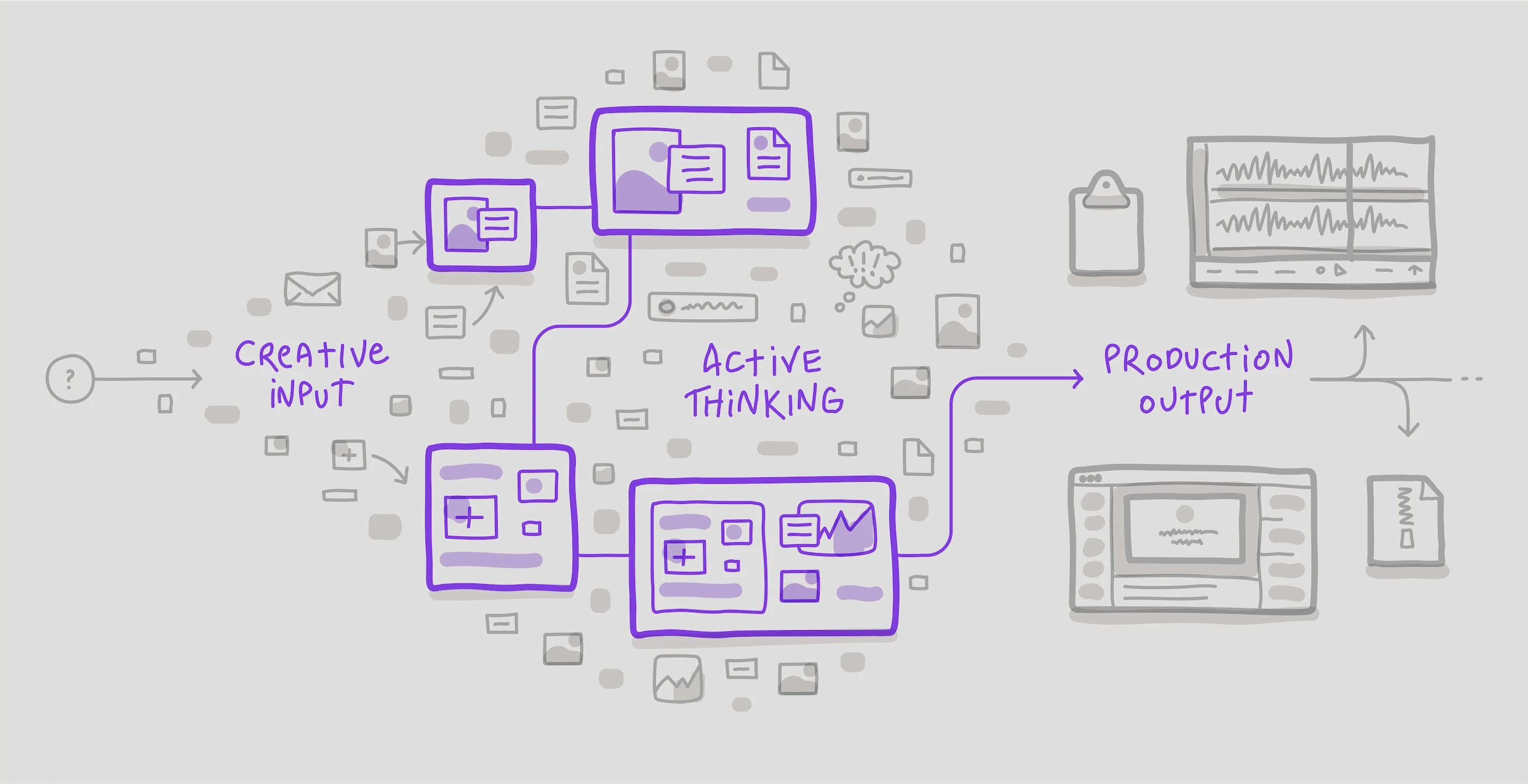
Feed creative inputs into Muse for your active thinking, and create production outputs with clarity.
Creativity and problem-solving rarely starts with a blank page. Instead, you need an accumulated set of just-in-time creative inputs that will give context on the problem, inspire you, and help you see the whole picture.
Drag and drop mood images you saved in Are.na or mymind, that bookmarked Tweet, a highlight from Readwise.
Pull in a handful of notes from Evernote, Roam, or Obsidian. Grab only what you need for Muse board, block out the rest.
Drag previews from CleanShot X or your native app onto your Muse board. Screen recordings work too!
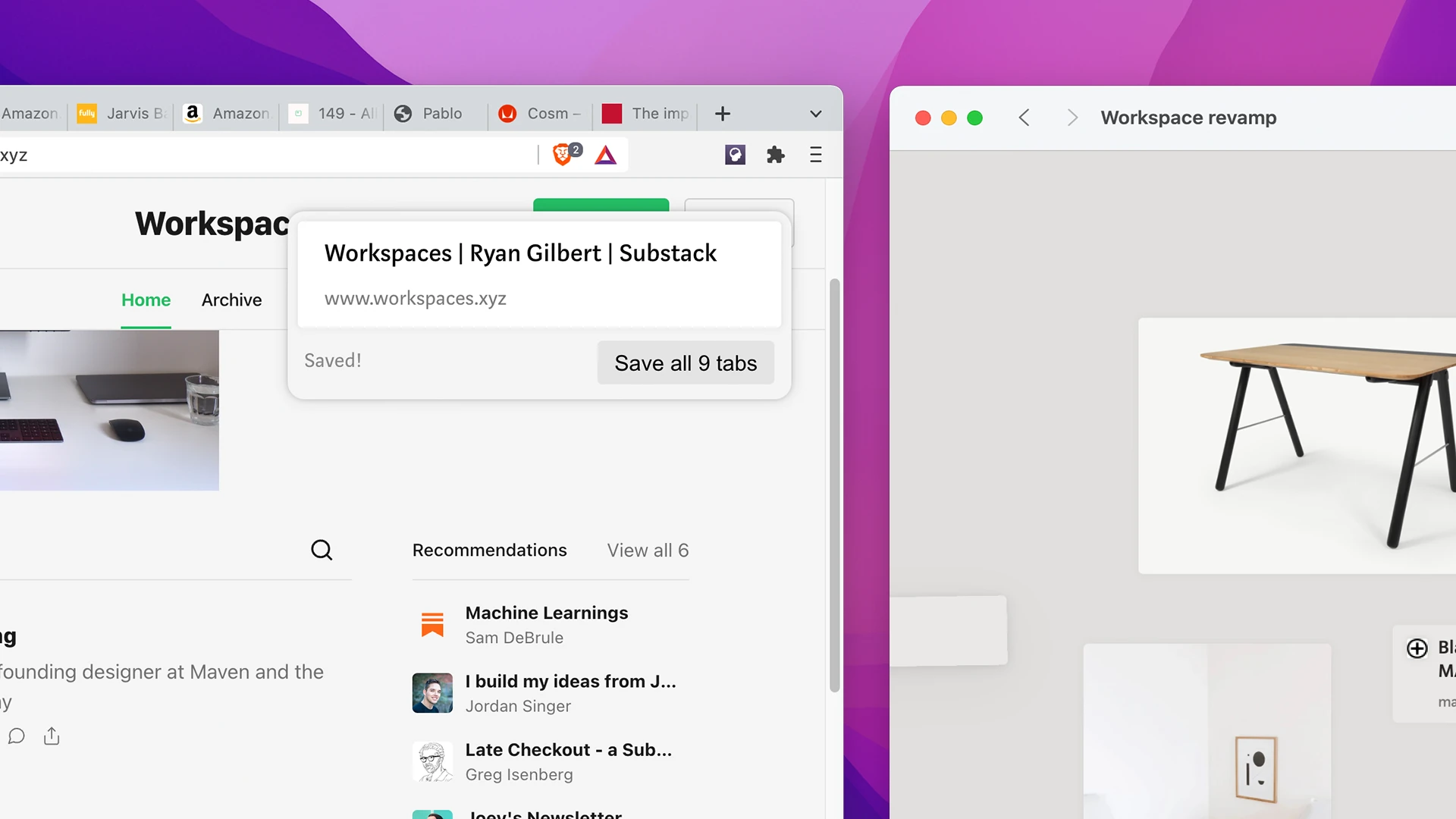
Capture links, images, and quotes from web pages with Muse’s browser extension. Do a deep-dive research session until you have a bunch of tabs open; then load the relevant bits into Muse.
Export your (or a colleague’s) work-in-progress designs from Sketch or Figma into Muse. Then annotate, add text notes, put in context alongside project goals or user feedback quotes.
Use Muse to read or skim PDFs including science manuscripts, legal documents, and more. Drop relevant excerpts onto a Muse board and reference the original anytime with Source Peek. (→ Content snippets)
Once you’ve found your breakthrough idea, now it’s time to move from your thinking tool to your production tool. What ”production“ is will vary by domain but could be writing, video or audio editing, presentations, or even a code editor.
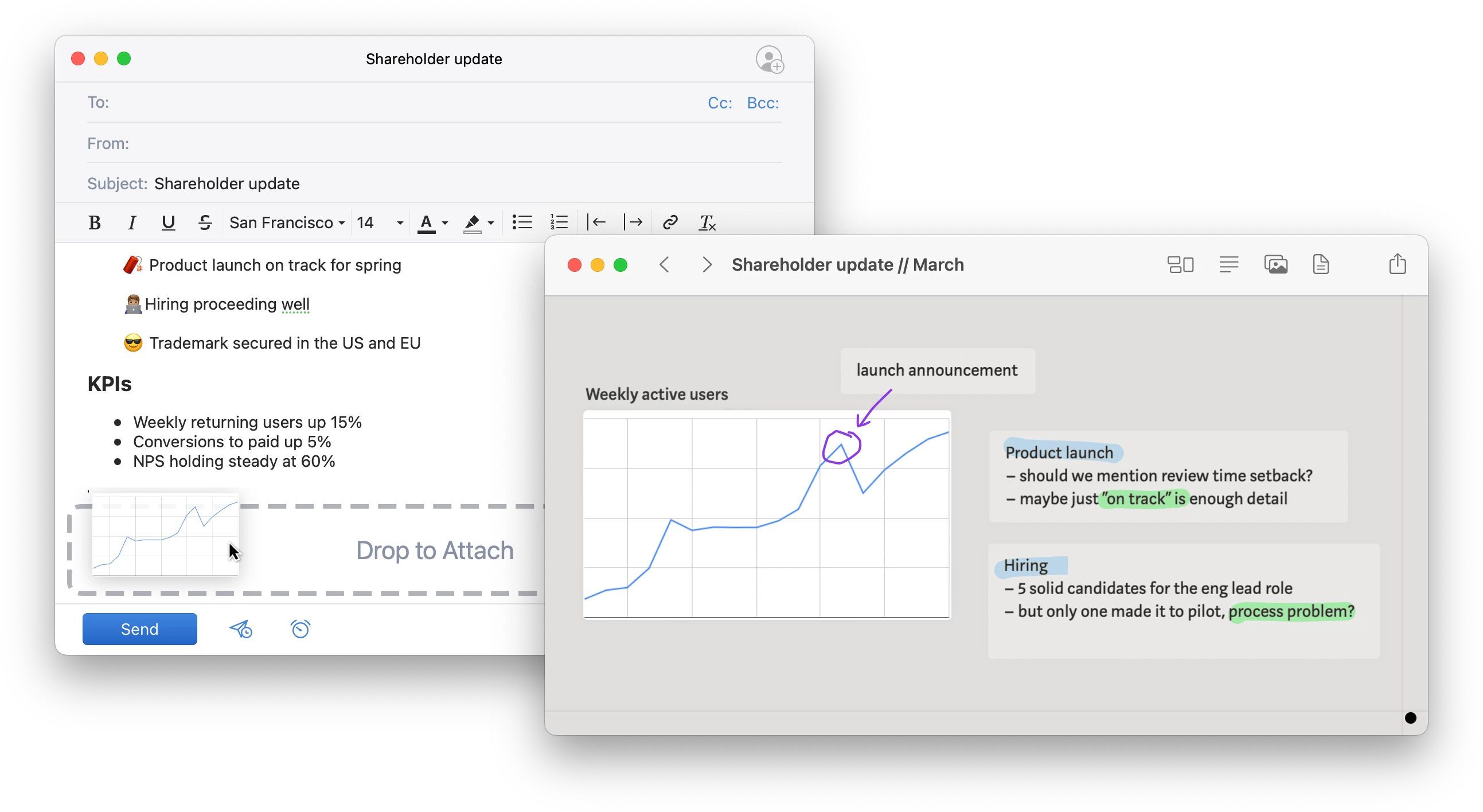
Use Muse boards to review work, develop feedback or draft updates. Easily drag text from your Muse boards to Notion, Slack or email. (→ Text and ink)
Use Muse boards to arrange your content and outline the narrative before working in Keynote or Google Slides. Copy in diagrams or other supporting material.
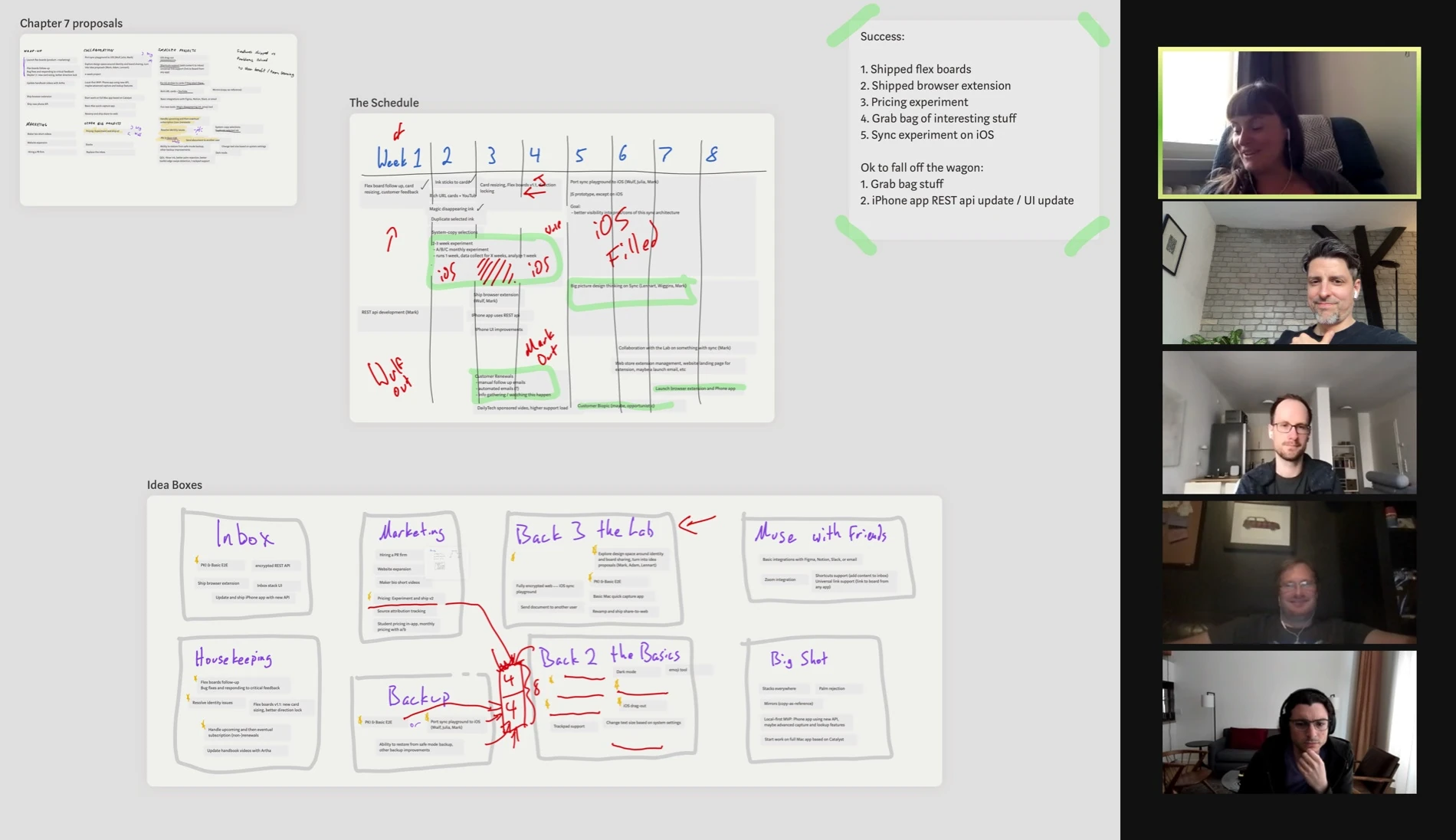
Instead of polished slides, present directly from Muse for a virtual whiteboarding session. Create visually engaging meetings with the zooming interface and live inking with presenter pen.
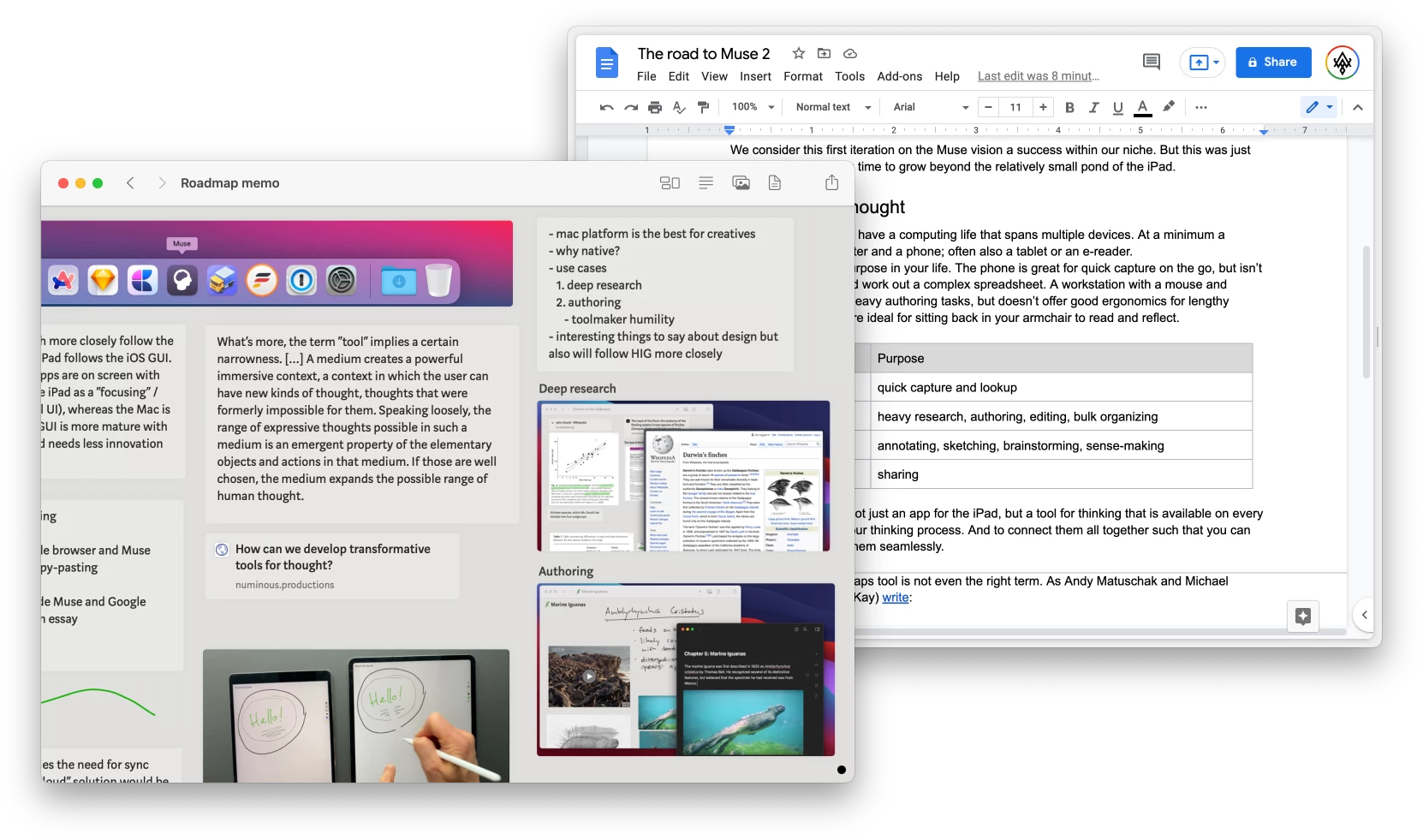
Use Muse boards to work out your content before loading up Google Docs, Craft, Ulysses, or Substack. Easily drag text between apps for the perfect side-by-side workflow.
Use Muse to compose tweet threads with media, or share your raw thinking with an image of a board.
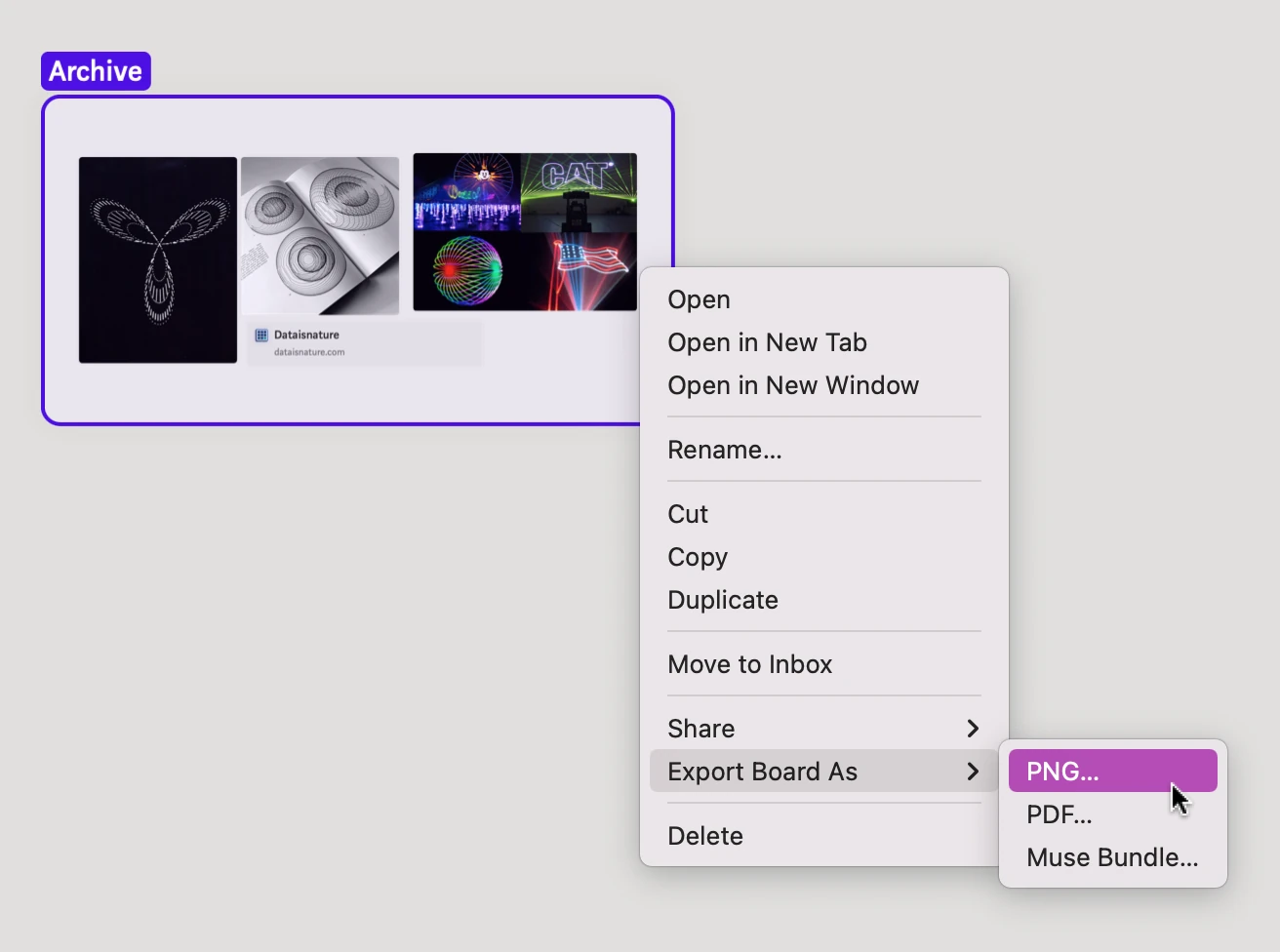
Maybe you just want to have an archived record of your thinking session for future reference. Muse can keep your boards as long as you want them, but you can also easily export a PNG or PDF for storage in Evernote, Dropbox, Obsidian, or any other place you keep your long-term archives.
